General post-processings
In this section, we describe the post-processing options available in MFEM-MGIS.
Warning
This section is under construction
The ParaviewExport post-processing
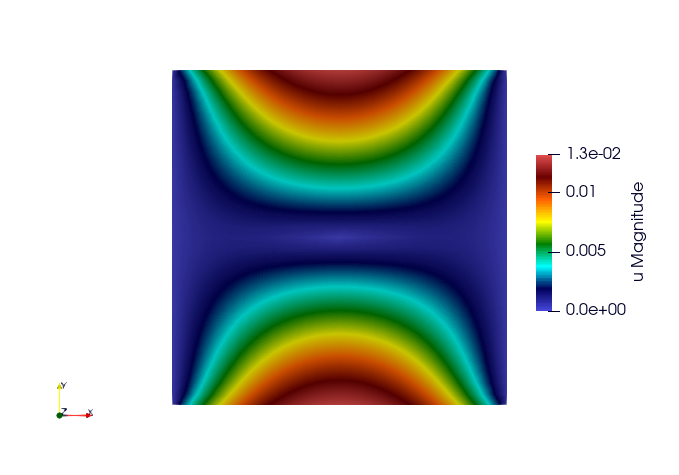
This post-processing allows exporting the unknowns of a nonlinear
evolution problem for visualization in paraview:
Key:
ParaviewExportResults
Example:
problem.addPostProcessing(ctx, "ParaviewExportResults",
                          {{"OutputFileName", "SatohTestOutput"}}) |
    or_die;
Results
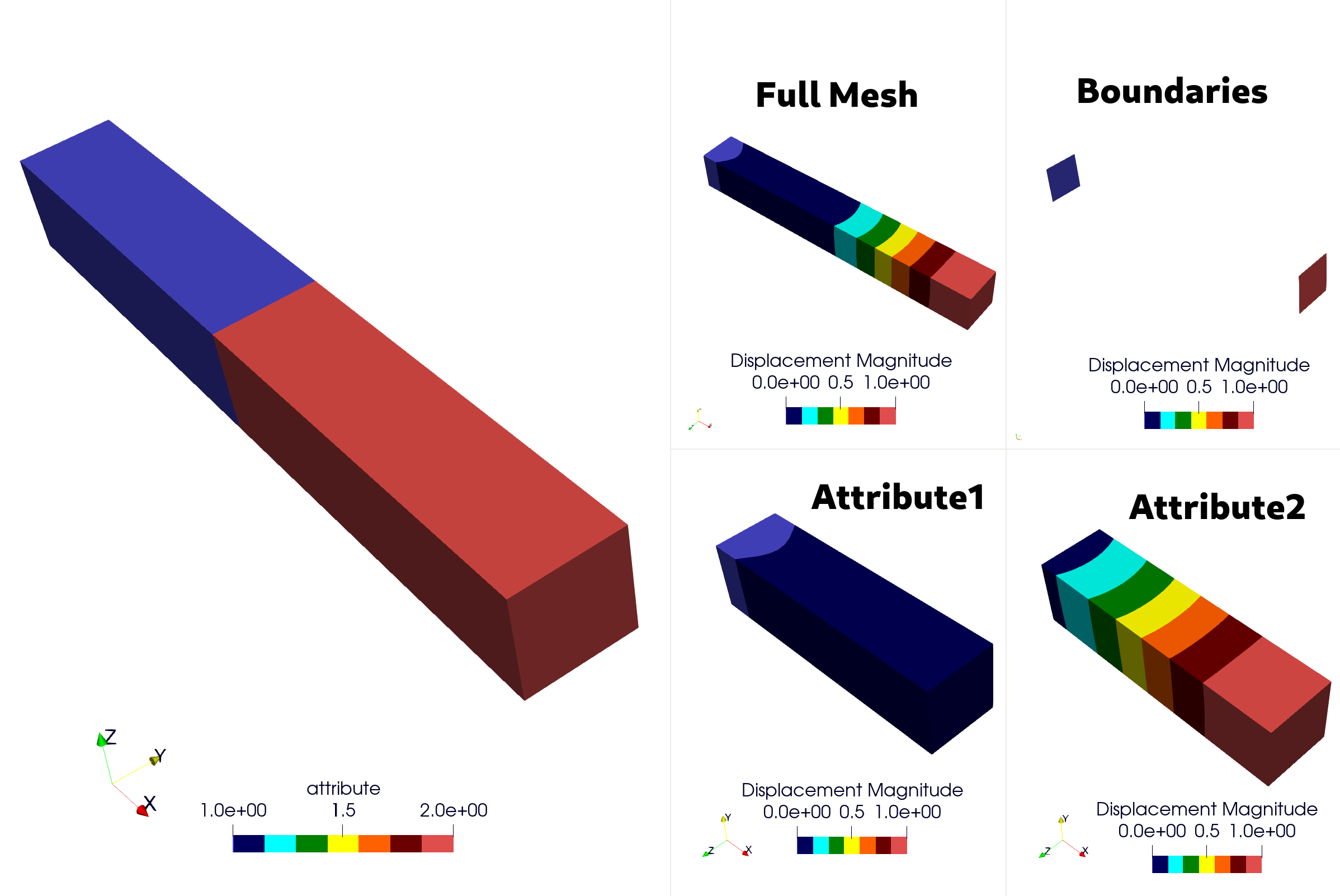
It is also possible to extract only portions of the mesh by defining either the boundary zones or the materials (domain attributes). This is particularly useful for reducing the size of output files when only a small part is to be studied.
Example
std::vector<mfem_mgis::Parameter> materials{"Attr1", "Attr2"};
std::vector<mfem_mgis::Parameter> bdrs{"left", "right"};
/** You can not define Materials and Boundaries in a single post processing
 */
problem.addPostProcessing(
    ctx, "ParaviewExportResults",
    {{"OutputFileName", "TestPPSubMeshOutputDir/AllMesh"},
     {"Materials", materials},
     {"OutputFieldName", "Displacement"},
     {"Verbosity", 1}}) |
    or_die;
problem.addPostProcessing(
    ctx, "ParaviewExportResults",
    {{"OutputFileName", "TestPPSubMeshOutputDir/Attribute1"},
     {"OutputFieldName", "Displacement"},
     {"Material", "Attr1"},
     {"Verbosity", 1}}) |
    or_die;
problem.addPostProcessing(
    ctx, "ParaviewExportResults",
    {{"OutputFileName", "TestPPSubMeshOutputDir/Attribute2"},
     {"OutputFieldName", "Displacement"},
     {"Material", "Attr2"},
     {"Verbosity", 1}}) |
    or_die;
problem.addPostProcessing(
    ctx, "ParaviewExportResults",
    {{"OutputFileName", "TestPPSubMeshOutputDir/Boundaries"},
     {"OutputFieldName", "Displacement"},
     {"Boundaries", bdrs},
     {"Verbosity", 1}}) |
    or_die;
Note
Boundary and Material names are defined by the problem using the key words: “Boundaries” or “Materials” such as:
{“Materials”, mfem_mgis::Parameters{{“Attr1”, 1}, {“Attr2”, 2}}}
{“Boundaries”, mfem_mgis::Parameters{{“left”, 1}, {“right”, 2}}}
Results
Key |
Description |
|---|---|
OutputFileName |
Name of the output directory |
OutputFieldName |
Name of the field that will appear in ParaView (default: |
Material/Materials |
List of materials; a submesh will be used instead of exporting the entire mesh |
Boundary/Boundaries |
List of boundaries; a submesh will be used instead of exporting the entire mesh |
Verbosity |
If this value is |
ExecuteInitialPostProcessing |
Export the results at the initial time of the simulation (default: |
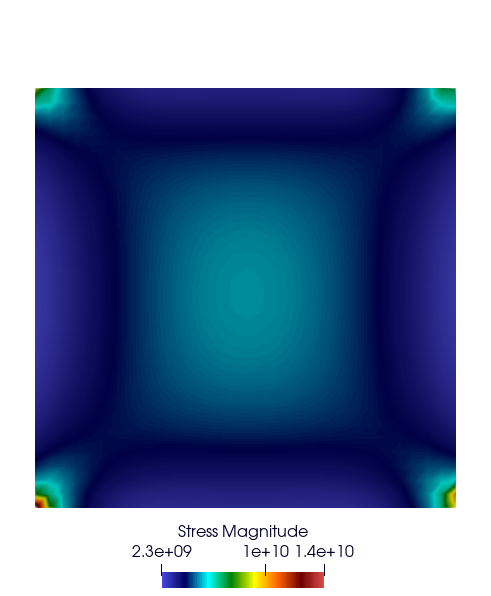
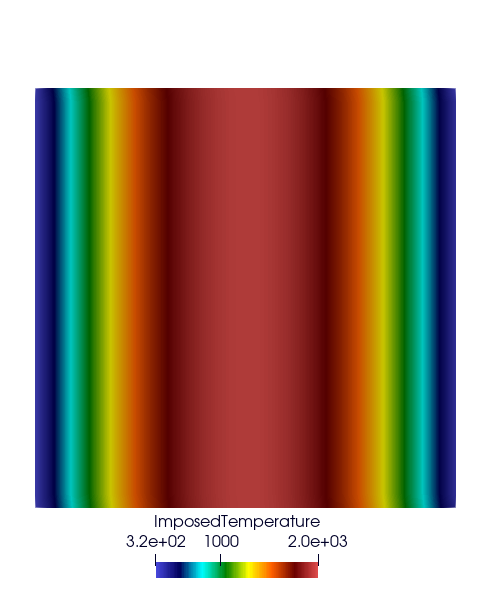
Export Integration Point Results At Nodes
Key:
ParaviewExportIntegrationPointResultsAtNodes
Example:
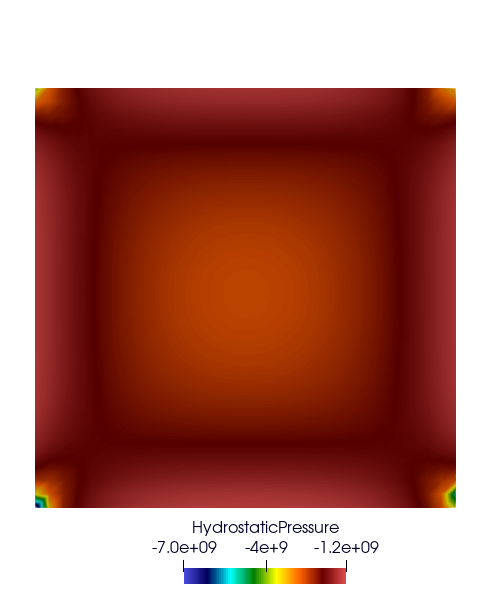
auto results = std::vector<mfem_mgis::Parameter>{
    "Stress", "ImposedTemperature", "HydrostaticPressure"};
problem.addPostProcessing(
    ctx, "ParaviewExportIntegrationPointResultsAtNodes",
    {{"OutputFileName", "SatohTestIntegrationPointOutput"},
     {"Materials", {"plate"}},
     {"Results", results}}) |
    or_die;
The optional ExecuteInitialPostProcessing boolean parameter (true by
default) states if the results are exported at the initial time of the
simulation.
Results
Compute Mean Thermodynamic Forces
This post-processing computes the mean value of each component of the thermodynamic forces in each material. For a mechanical behaviour, the thermodynamic forces are the stresses.
Key:
MeanThermodynamicForces
Example:
problem.addPostProcessing(ctx, "MeanThermodynamicForces",
                          {{"OutputFileName", "avgStress"}}) |
    or_die;
Results
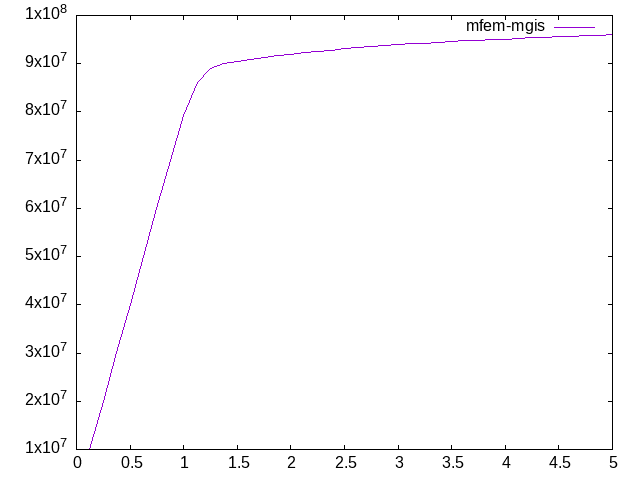
These results come from the example Representative Volume Element of Combustible Mixed Oxides for Nuclear Applications. Its RVE contains 83 % of matrix and 17 % of inclusion. These commands compute the average stress SZZ over the RVE and plot it:
awk '{if(NR>13) print $1 " " 0.83*$4+0.17*$10}' avgStress > res-mfem-mgis.txt
plot "res-mfem-mgis.txt" u 1:2 w l title "mfem-mgis"
Compute Stored Energy
Key:
StoredEnergy
Example:
problem.addPostProcessing(ctx, "StoredEnergy",
                          {{"OutputFileName", "energy.txt"}}) |
    or_die;
Compute dissipated Energy
Key:
DissipatedEnergy
Example:
problem.addPostProcessing(ctx, "DissipatedEnergy",
                          {{"OutputFileName", "dissipated_energy.txt"}}) |
    or_die;
Materials with several behaviour integrators
The ComputeResultantForceOnBoundary, MeanThermodynamicForces,
StoredEnergy and DissipatedEnergy post-processings accept an optional
BehaviourIntegrator parameter. It selects the behaviour integrators of each
material:
an integer: the behaviour integrator of this index in each material,
"All": all the behaviour integrators, whose contributions are summed.
Without this parameter, each material must have a single behaviour integrator.
Example:
problem.addPostProcessing(ctx, "StoredEnergy",
                          {{"OutputFileName", "energy.txt"},
                           {"BehaviourIntegrator", "All"}}) |
    or_die;